Steam
1,759 人が評価
How to Clear Your Alias History
作者: Aezillo と 1 のコラボレーション
This guide allows you to easily clear your profile's alias history or have it display the same username. It removes any old aliases from your profile while looking nice.

   
アワード
お気に入り
お気に入り
お気に入りから削除
ORDER BEST STEAM DESIGN
If you're looking for someone to animate your profile, contact snaws design service.
Feel free to check his Website![www.snaws.design]
Victory
People were mad at me for "leaking" the Steam support method of clearing aliases on a guide, but thanks to the influx they added a button under your aliases to clear it yourself. We did it.

https://i.imgur.com/wl3JJ8g.png
Introduction
This guide allows you to do two things with your alias history:


This allows you to remove any old aliases you don't want on your profile while making your profile look clean. Let's get started!
Step 1
Start by heading over to this pastebin and copying the character: https://pastebin.com/Ri7QfSST
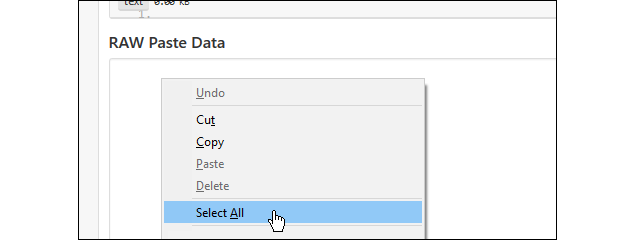
It'll be invisible, so to copy it right click inside "RAW Paste Data", and click "Select All".


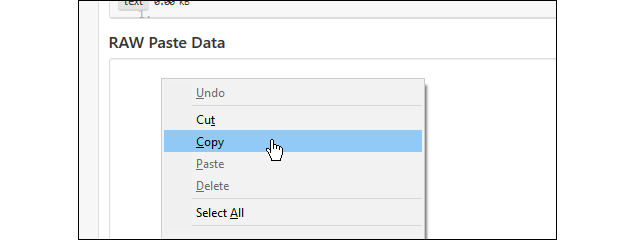
Right click inside "RAW Paste Data" again and click "Copy".


You've now copied the invisible character! Onto the last step.
Step 2
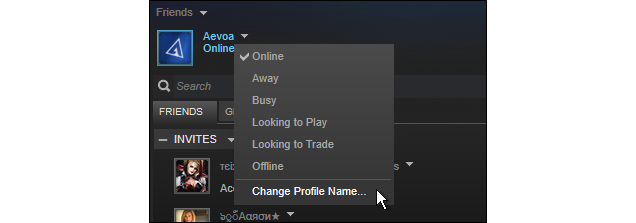
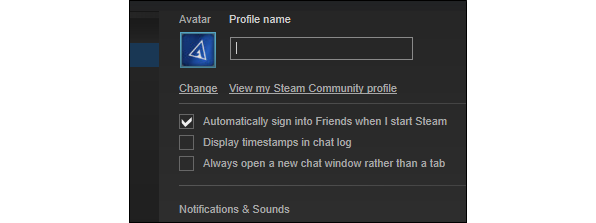
Now head over to the change profile name screen from your friends list window.


Note: Steam makes you wait a bit after changing your username five times. Don't worry, It's not long.
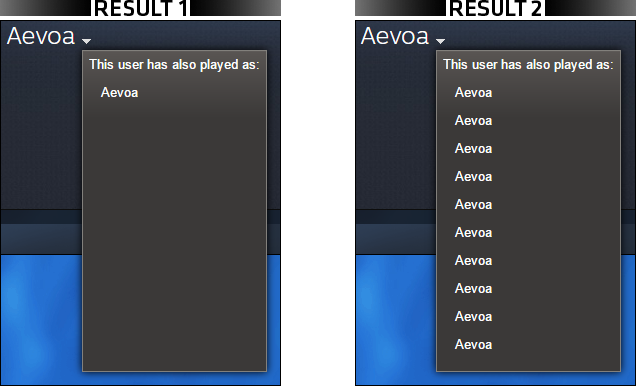
For result 1:

Delete your username and paste the character from the pastebin once using Control + V (or Command + V on Mac). Right clicking to paste won't work.


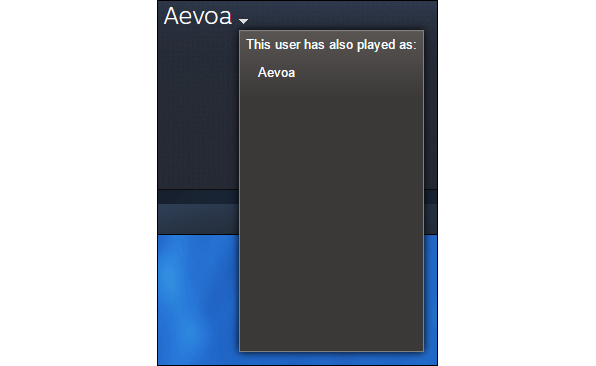
Once you paste it, there will be no visible indication that you've pasted something. Just go to the bottom of the screen and click "Ok" to save changes. In the chat, you should see this:


Your alias history now shows one empty space. Go back into the change profile name panel from your friends list and paste a second character. Save it, and repeat this step by adding an additional pastebin character each time until you've filled your entire alias history with empty space.

Congrats! Your alias history is now cleared. Be sure to delete all the pastebin characters and switch to your normal username when you're done. This is our final result:

For result 2:

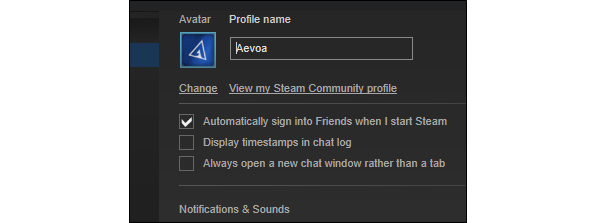
If you have the username you want already set up, simply paste the character from the pastebin behind or in your username using Control + V (or Command + V on Mac). Right clicking to paste won't work.


Once you paste it, there will be no visible indication that you've pasted something. Just go to the bottom of the screen and click "Ok" to save changes. In the chat, you should see this:


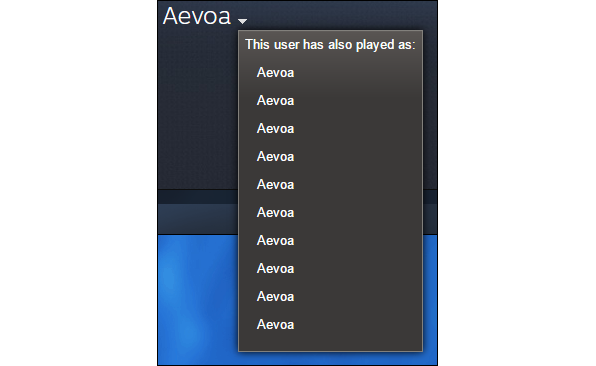
Your alias history now shows two identical usernames. Go back into the change profile name panel from your friends list and paste the character into your username a second time. Save it, and repeat this step by adding an additional pastebin character each time until you've filled your entire alias history with the same username.

Congrats! Your alias history is now cleared. Be sure to delete your whole username and retype it without the pastebin character when you're done. This is our final result:

Closing Notes
I hope you found this guide helpful. If you have a question, please leave a comment.
NOTE: If for some reason you use this guide and Steam won't let you rename yourself, just go to edit your username, press backspace until all the invisible characters are gone, and click save. This should give you an error message. AFTER this error message you can continue to rename yourself.
Suggested guides:

http://steamproxy.net/sharedfiles/filedetails/?id=846538651
http://steamproxy.net/sharedfiles/filedetails/?id=892968879
http://steamproxy.net/sharedfiles/filedetails/?id=736635300
Discord
For more profile help, visit the discord: https://discord.gg/FPbANZu
⠀⠀⠀⠀⠀⠀⠀⠀⠀⠀⠀⠀⠀⠀⠀⠀⠀The largest collection of profile guides. Follow for more.
Donate a coffee! Ko-fi.com/AeGuides
psssst...
Like what I do?
Donate a coffee! Ko-fi.com/AeGuides
224 件のコメント
asdf 2023年5月11日 9時01分 
Thank u!
salida 2020年10月1日 4時22分 
now its easier :D
Kenz 2020年4月9日 13時14分 
Rat 2019年4月2日 12時22分 
I'm glad there's a button for this now...
cSg|mc-Hotsauce 2018年10月4日 12時32分 
Valve implented the clearing of aliases.

Also, it has nothing to do with helping scammers. Community IDs are permanent and are what you should be looking for, not names that are not unique.
EndangeredPootisBird 2018年10月4日 12時27分 
Youre helping scammers with this method, gg
cSg|mc-Hotsauce 2018年9月27日 16時20分 
@XanthiN Why do you think they added it? Because of Aevoa.
Aezillo  [作成者] 2018年9月27日 15時10分 
yeah it's at the very start of the guide...
XanthiN 2018年9月27日 15時05分 
Steam added this feature to the system. You can do now easily. Just click the arrow near your alias on your profile, you will see.
Itam 2018年9月21日 1時35分 
Great!