Steam
481 人が評価
Nicknaming users that you are not friends with
作者: Delite と 1 のコラボレーション
Have you ever wanted, for whatever reason, to nickname a person that is not in your Steam friend list? Here's how.
   
アワード
お気に入り
お気に入り
お気に入りから削除
Step 1
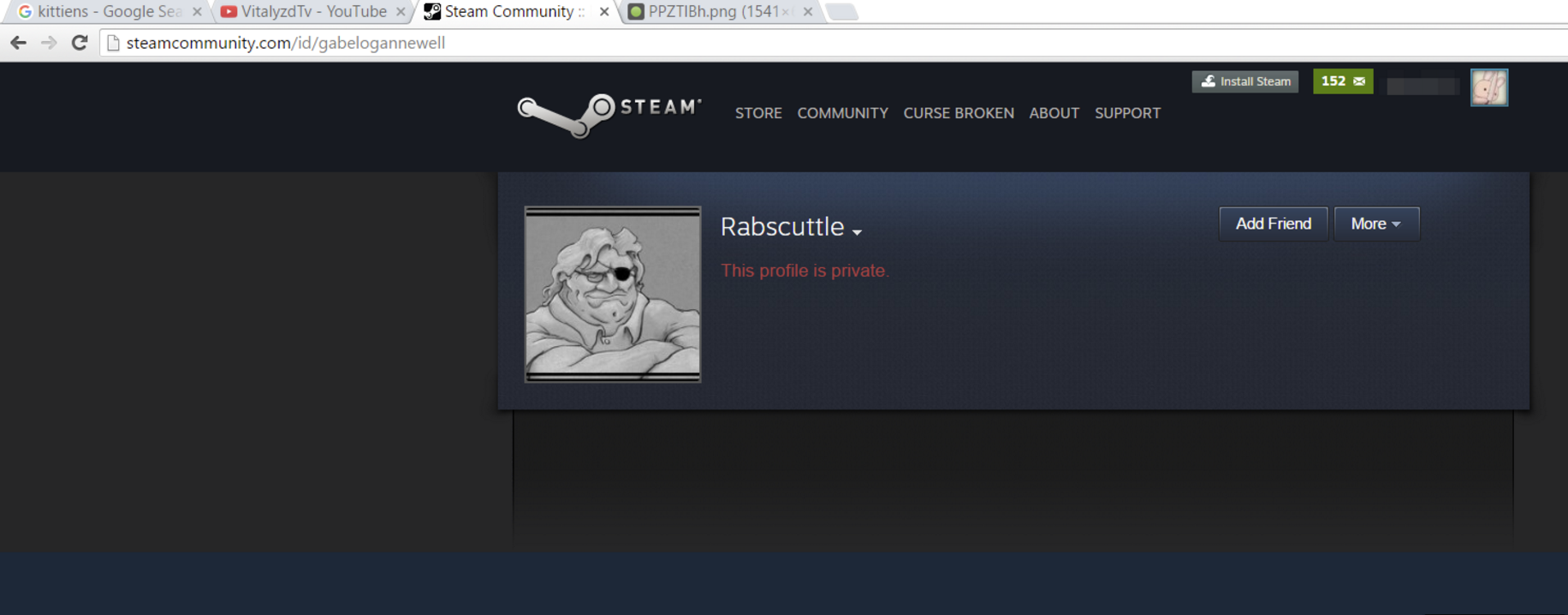
Open up the steam profile page of the person you want to nickname in a browser. For this guide, we will be using Gaben's profile as an example.

Step 2
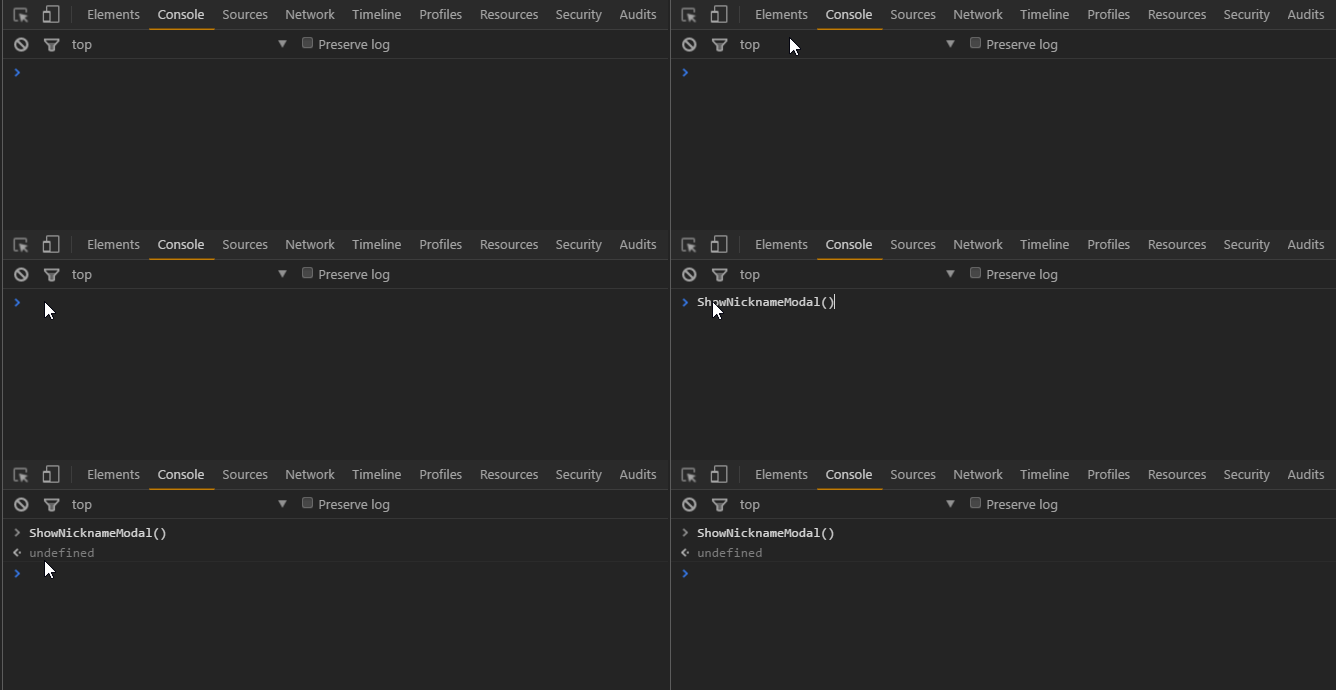
Do right click > Inspect Element > and go to the console tab
Paste the following:
ShowNicknameModal()
and hit enter.
Step 3
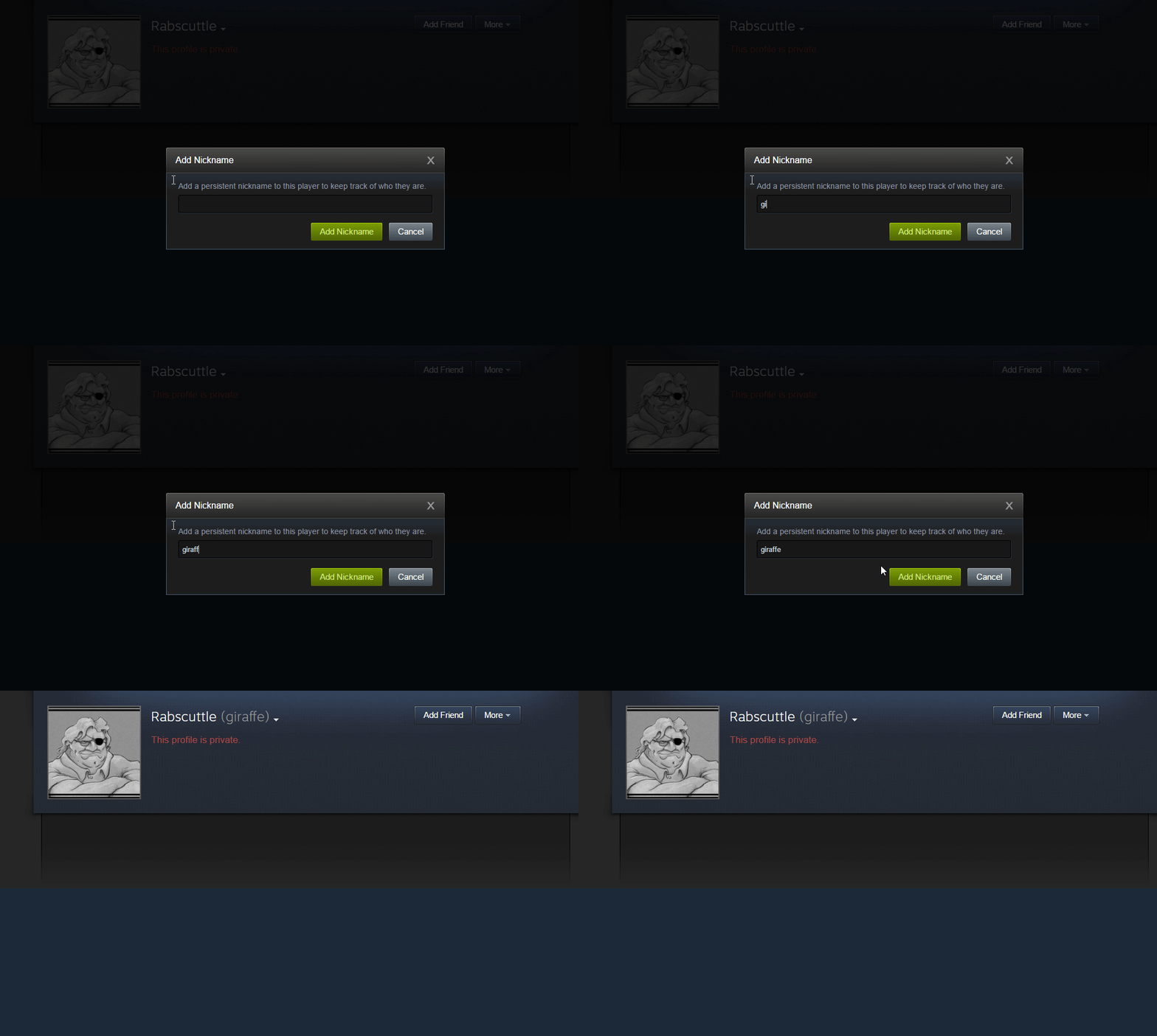
A cool thing will pop up on your screen, go ahead and type in the person's nickname and press "Add Nickname". That's it!
36 件のコメント
6 7 enjoyer 2021年6月2日 13時19分 
:heartb: Will give awards to random people who join my group. :heartb:
https://steamproxy.net/groups/alliwantisabigtiddygothgf

:heartb: Also doing comment 4 comment
Schlendi | #LV426 2020年9月20日 17時49分 
Very helpful for removing nicknames on removed friends.
Marci 2020年7月11日 18時52分 
Creepo Alert ^~^
M a k i m a 2020年2月1日 8時36分 
𝐂𝐨𝐦𝐦𝐞𝐧𝐭 𝟒 𝐂𝐨𝐦𝐦𝐞𝐧𝐭
󠀡󠀡 2018年5月25日 7時18分 
Instead of dealing with the Console you can just use "Enhanced Steam" and do it with a Mouseclick :Winker:
[AMD]LULI 2018年4月7日 21時06分 
cool!
❉INSPECTOR❉ ☂ ⭕⃤ 2017年10月26日 3時56分 
(●°u°●)
jahpeg 2017年4月7日 6時14分 
You can also nickname them in a group chat
Korfor 2017年4月6日 12時59分 
OMG THIS IS WHAT I LIVE FOR!!!!!!!
//emilia 2017年4月3日 16時25分 
Ok cool