



Steam installeren
inloggen
|
taal
简体中文 (Chinees, vereenvoudigd)
繁體中文 (Chinees, traditioneel)
日本語 (Japans)
한국어 (Koreaans)
ไทย (Thai)
Български (Bulgaars)
Čeština (Tsjechisch)
Dansk (Deens)
Deutsch (Duits)
English (Engels)
Español-España (Spaans - Spanje)
Español - Latinoamérica (Spaans - Latijns-Amerika)
Ελληνικά (Grieks)
Français (Frans)
Italiano (Italiaans)
Bahasa Indonesia (Indonesisch)
Magyar (Hongaars)
Norsk (Noors)
Polski (Pools)
Português (Portugees - Portugal)
Português - Brasil (Braziliaans-Portugees)
Română (Roemeens)
Русский (Russisch)
Suomi (Fins)
Svenska (Zweeds)
Türkçe (Turks)
Tiếng Việt (Vietnamees)
Українська (Oekraïens)
Een vertaalprobleem melden




 Prijs
Prijs




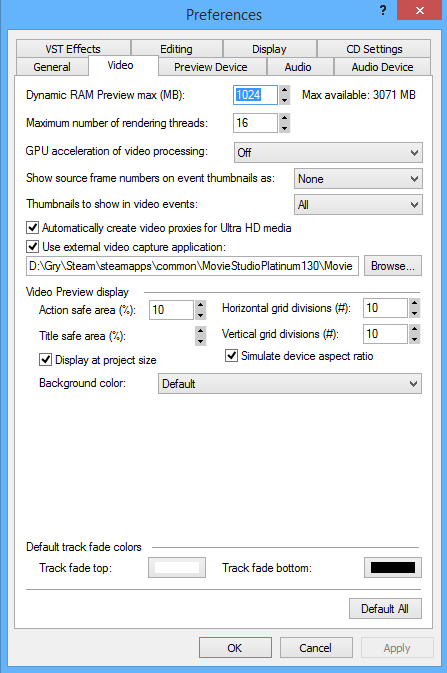
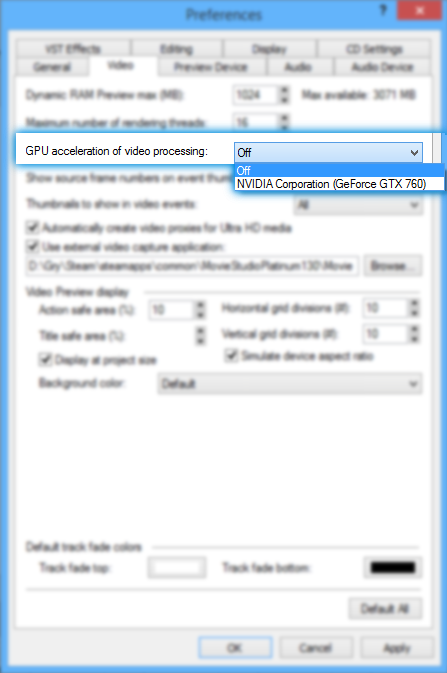





Thanks!!!!
5 Minutes later : ) haha. Re: Entry: Now it works with the official NVIDIA GTX 1070 Driver. U are my man... : ) All fine. I will recommend u @ Steam... But if u want to restart the programm u have to downgrade the driver again with Cuda.... :| I will find a way...
I try also the Resetting. The Reset works, but when it start and load the components it will crash again.
I try NVIDIA Cuda to solve the problem now. May u can give me any support for this problem. Btw. NVIDIA Physics is also installed. No way to deactivate the GPU-Acceleration (dxdiag)
The newest GPU Drivers are also installed.
PC Specs:
Acer Predator 17 (G9-793-72AT) Gaming-Notebook
17,3" 1080p (Full HD 1920x1080)
CPU: Intel®Core i7-6700HQ 2,60 GHz, (Turbo-Boost up to 3,50 GHz)
8 MB Intel® Smart-Cache, Mobile Intel® PCH Chipset HM170
Skylake Processor-Quad Core
L3 Cache: 8 MB
Mainboard: N\A
RAM: 16384 MB DDR4-RAM
GPU: NVIDIA® GeForce® GTX 1070 \ 8 GB \ DX12
HDD: 512 GB SSD, 1000 GB HDD
OS: Windows 10 Home 64bit