



Steam telepítése
belépés
|
nyelv
简体中文 (egyszerűsített kínai)
繁體中文 (hagyományos kínai)
日本語 (japán)
한국어 (koreai)
ไทย (thai)
Български (bolgár)
Čeština (cseh)
Dansk (dán)
Deutsch (német)
English (angol)
Español - España (spanyolországi spanyol)
Español - Latinoamérica (latin-amerikai spanyol)
Ελληνικά (görög)
Français (francia)
Italiano (olasz)
Bahasa Indonesia (indonéz)
Nederlands (holland)
Norsk (norvég)
Polski (lengyel)
Português (portugáliai portugál)
Português - Brasil (brazíliai portugál)
Română (román)
Русский (orosz)
Suomi (finn)
Svenska (svéd)
Türkçe (török)
Tiếng Việt (vietnámi)
Українська (ukrán)
Fordítási probléma jelentése














 Díjazás


 Facebookon
 Twitteren
  YouTube-on
  Redditen


 28
28 


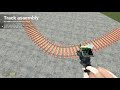
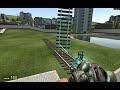
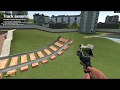
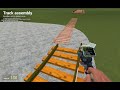
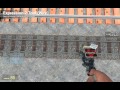
Make sure to reset your custom P/Y/R offsets. The crossing is spawned like any other rail. Click and snap. Abount for the rail physics issue It is described here. I am Inable to fix it.
https://github.com/ValveSoftware/Source-1-Games/issues/7426#issuecomment-3512301873
Why so. I have been making it for quite a while now hah.
You can connect the crossing like any other track.
If you need a bigger ezample with more data. You can look at how I did Shinji's pack. In case you need additions. Phys properties are rearly used and ppl do not really do dynamic DSV about them. 😁
https://github.com/dvdvideo1234/TrackAssemblyTool/blob/master/lua/autorun/z_autorun_%5Bshinji85_s_rails%5D.lua
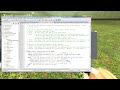
Yes buddy there is. You can use personal DSV database extension script.
https://github.com/dvdvideo1234/TrackAssemblyTool/wiki/Database-extension#how-can-i-make-a-script-which-synchronizes-the-database-of-my-track-pack
Just copy the example and add your tracks there 😉
The second option currently works flawlessly. But registering a prop on the fly will be cool too. Thanks for the idea I have to think about it. Will register it as an issue.