



Installer Steam
log på
|
sprog
简体中文 (forenklet kinesisk)
繁體中文 (traditionelt kinesisk)
日本語 (japansk)
한국어 (koreansk)
ไทย (thai)
Български (bulgarsk)
Čeština (tjekkisk)
Deutsch (tysk)
English (engelsk)
Español – España (spansk – Spanien)
Español – Latinoamérica (spansk – Latinamerika)
Ελληνικά (græsk)
Français (fransk)
Italiano (italiensk)
Bahasa indonesia (indonesisk)
Magyar (ungarsk)
Nederlands (hollandsk)
Norsk
Polski (polsk)
Português (portugisisk – Portugal)
Português – Brasil (portugisisk – Brasilien)
Română (rumænsk)
Русский (russisk)
Suomi (finsk)
Svenska (svensk)
Türkçe (tyrkisk)
Tiếng Việt (Vietnamesisk)
Українська (ukrainsk)
Rapporter et oversættelsesproblem














 Pris
Pris


 På Facebook
 På Twitter
  På Youtube
  På Reddit


 28
28 


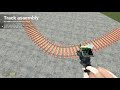
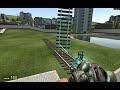
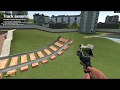
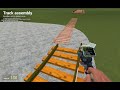
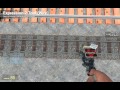
Make sure to reset your custom P/Y/R offsets. The crossing is spawned like any other rail. Click and snap. Abount for the rail physics issue It is described here. I am Inable to fix it.
https://github.com/ValveSoftware/Source-1-Games/issues/7426#issuecomment-3512301873
Why so. I have been making it for quite a while now hah.
You can connect the crossing like any other track.
If you need a bigger ezample with more data. You can look at how I did Shinji's pack. In case you need additions. Phys properties are rearly used and ppl do not really do dynamic DSV about them. 😁
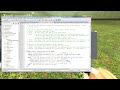
https://github.com/dvdvideo1234/TrackAssemblyTool/blob/master/lua/autorun/z_autorun_%5Bshinji85_s_rails%5D.lua
Yes buddy there is. You can use personal DSV database extension script.
https://github.com/dvdvideo1234/TrackAssemblyTool/wiki/Database-extension#how-can-i-make-a-script-which-synchronizes-the-database-of-my-track-pack
Just copy the example and add your tracks there 😉
The second option currently works flawlessly. But registering a prop on the fly will be cool too. Thanks for the idea I have to think about it. Will register it as an issue.