



Steam'i Yükleyin
giriş
|
dil
简体中文 (Basitleştirilmiş Çince)
繁體中文 (Geleneksel Çince)
日本語 (Japonca)
한국어 (Korece)
ไทย (Tayca)
Български (Bulgarca)
Čeština (Çekçe)
Dansk (Danca)
Deutsch (Almanca)
English (İngilizce)
Español - España (İspanyolca - İspanya)
Español - Latinoamérica (İspanyolca - Latin Amerika)
Ελληνικά (Yunanca)
Français (Fransızca)
Italiano (İtalyanca)
Bahasa Indonesia (Endonezce)
Magyar (Macarca)
Nederlands (Hollandaca)
Norsk (Norveççe)
Polski (Lehçe)
Português (Portekizce - Portekiz)
Português - Brasil (Portekizce - Brezilya)
Română (Rumence)
Русский (Rusça)
Suomi (Fince)
Svenska (İsveççe)
Tiếng Việt (Vietnamca)
Українська (Ukraynaca)
Bir çeviri sorunu bildirin



 Ödül
Ödül






Do you own the game on Steam? If so, you can run a file integrity check. If you don't know how to do that, this Steam Support page can walk you through the steps: https://steamproxy.net/steamhelp/en/faqs/view/0C48-FCBD-DA71-93EB
Good luck and please let me know if it worked for you.
Have fun and enjoy!
Let me know if this helps you.
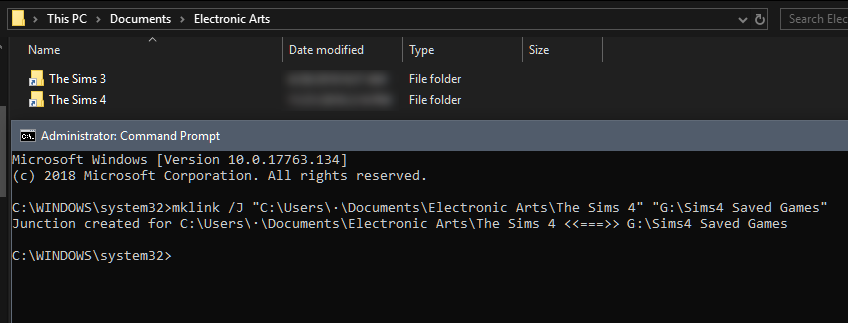
Try going into your One Drive settings and uncheck the following: Documents, Downloads, and Pictures . This should change it back to their original file paths.
Good luck and please keep me posted!