XCOM 2
1,326 valoraciones
One Million Colours
3
6
   
Premiar
Favoritos
Favorito
Quitar
Tamaño
Publicado el
Actualizado el
265.406 KB
26 JUL 2017 a las 14:55
21 OCT 2017 a las 1:59
8 notas sobre cambios ( ver )

Suscríbete para descargar
One Million Colours

Descripción
ALSO ENABLE THIS IF YOU ARE USING WOTC: http://steamproxy.net/sharedfiles/filedetails/1133948141

ENABLE THIS IF YOU USE IT WITH SPARKS: http://steamproxy.net/sharedfiles/filedetails/1134598754

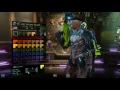
Adds one million colours to props customization (configurable through XComGame.ini).

Config START_INDEX indicates the number of visible colour panel by default, which is the preset colours you can choose in the colour picker without using the sliders, it is clamped down to number of existing colours in your game so you can increase it if you have other colour mods and you want them to be part of the presets.
NUM_COLOR_PER_BASE is the number of levels for the each of the 3 base colours, so you will get NUM_COLOR_PER_BASE^3 additional colours in total.

Known issue: There will be a slight lag when opening the colour picker from unsupported screens and photobooth or unpatched soldier classes.

Note: Changing configs of this mod will break all the custom colours saved (change into random colours), this is due to how xcom 2 save the appearance of the soldiers, instead of saving the actual colours it store an index which is referenced in a pool of available colours, which this mod expands.

Note 2: Adding 1 million colours to all palettes takes 4 seconds of additional loading time, so don't get too crazy on adding NUM_COLOR_PER_BASE

Compability:
Overrides UIColorSelector and CustomizationManagerClass of character templates.
Does not work with mods that overrides XComCharacterCustomization (like mods that removes the name length limits), overriding XComCharacterCustomization through XComEngine.ini is asking for weird behaviours in UICustomize anyways.
WORKS WITH WOTC
Discusiones populares Ver todo (1)
4
1
18 MAY a las 14:06
Fix The Loading Error Guide
Feniks
262 comentarios
awfulwatcher 1 DIC a las 8:45 
where exactly should those lines be added? Im using AML
Nergico 16 NOV a las 1:08 
Thanks to @Lightning Dust!!! That worked perfectly for me. Just remove the One Million WotC plugin — it was causing the error message on my end. Then add the lines described below to the file, and it even works with the 2K Mod Launcher.
LionBigJohnson 19 OCT a las 4:29 
idrk why but this and the addon seem to instacrash my game.....
Lightning Dust 23 SEP a las 18:26 
What worked for me for those who is having an issue with the wotc plugin not working, instead of having the wotc plugin and trying to add several lines to both this mod, and the wotc plugin, just add these lines to this OneMillionColors mod below the description and disable the wotc plugin.

tags=
contentImage=
RequiresXPACK=true
dude 21 SEP a las 17:19 
Get the alternative mod launcher. Install it and enable all the mods you have. Works. Problem is with the mod launcher not the mod.
ENTERPRISE 7 SEP a las 0:04 
@jonjrhr

this mod emptyname mod confilict
jonjrhr 5 SEP a las 4:20 
stopped working, which is a shame because its almost mandatory.
Agent_Orange 3 SEP a las 17:34 
Sadly, it causes the game to freeze now, even with only this mod activated. Can confirm that it was working fine a few months ago.
BigHillsBigLegs 29 AGO a las 10:26 
same idk why it's happening now
rtmckie 15 AGO a las 6:09 
yea same happens with me and i dont know why because it was working around 2 months ago